Spins
Count your turns.
See spins for the session and for each song. A double turn counts as two.

Counts are estimates. Arm styling and leading turns can add spins.
 Salsamatic
Dance tracking · Apple Watch + iPhone
Time dancing, songs and spins, alongside your heart rate and steps. Start a session and keep dancing.
For socials, classes and practice. No account needed.


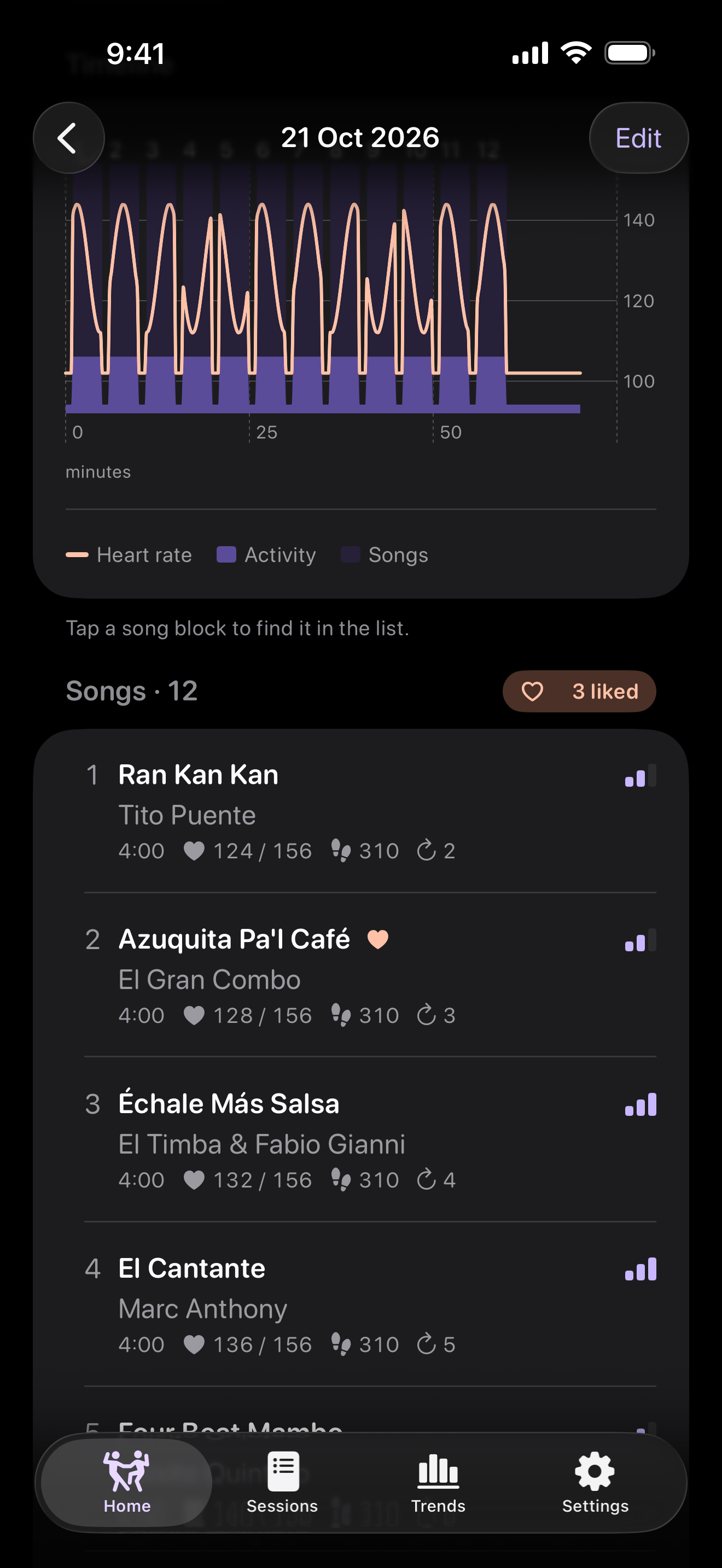
On the dance floor
See the time, heart rate, steps and calories together. Dance and rest are counted automatically, without stopping to mark each song.
No haptics by default. Choose which watch pages you see.
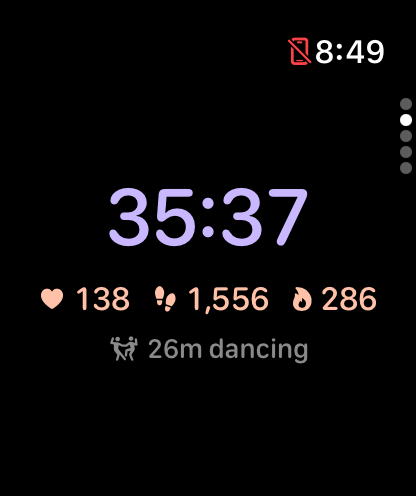
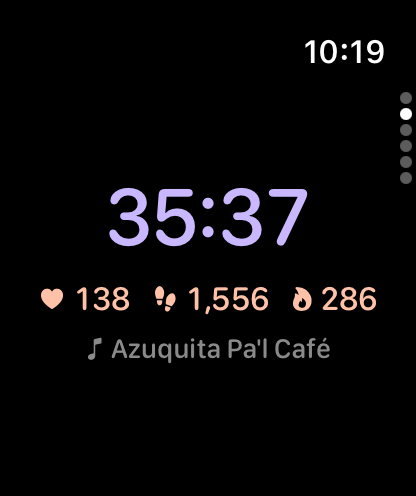
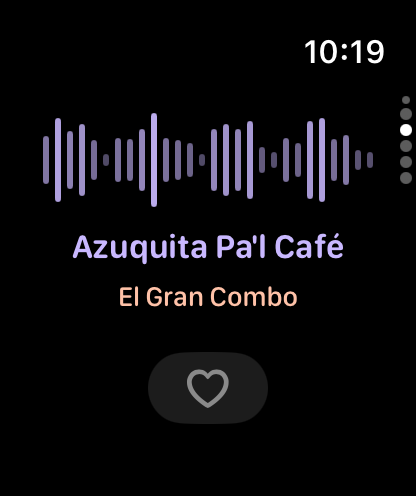
Songs · Salsamatic Plus
Like it on your watch. Find it in the session’s song list later.
Song recognition and titles come with Plus: free for 14 days from your first session, then US$1.99 a month or US$14.99 a year to keep them. Recognition needs microphone access and audible music.
You can also export recognised songs to an Apple Music playlist. Export needs an Apple Music subscription, but no Salsamatic Plus subscription.
Spins
See spins for the session and for each song. A double turn counts as two.
Counts are estimates. Arm styling and leading turns can add spins.
Dance time & rest
See time dancing, breaks and estimated songs, with a timeline and stats for each song.
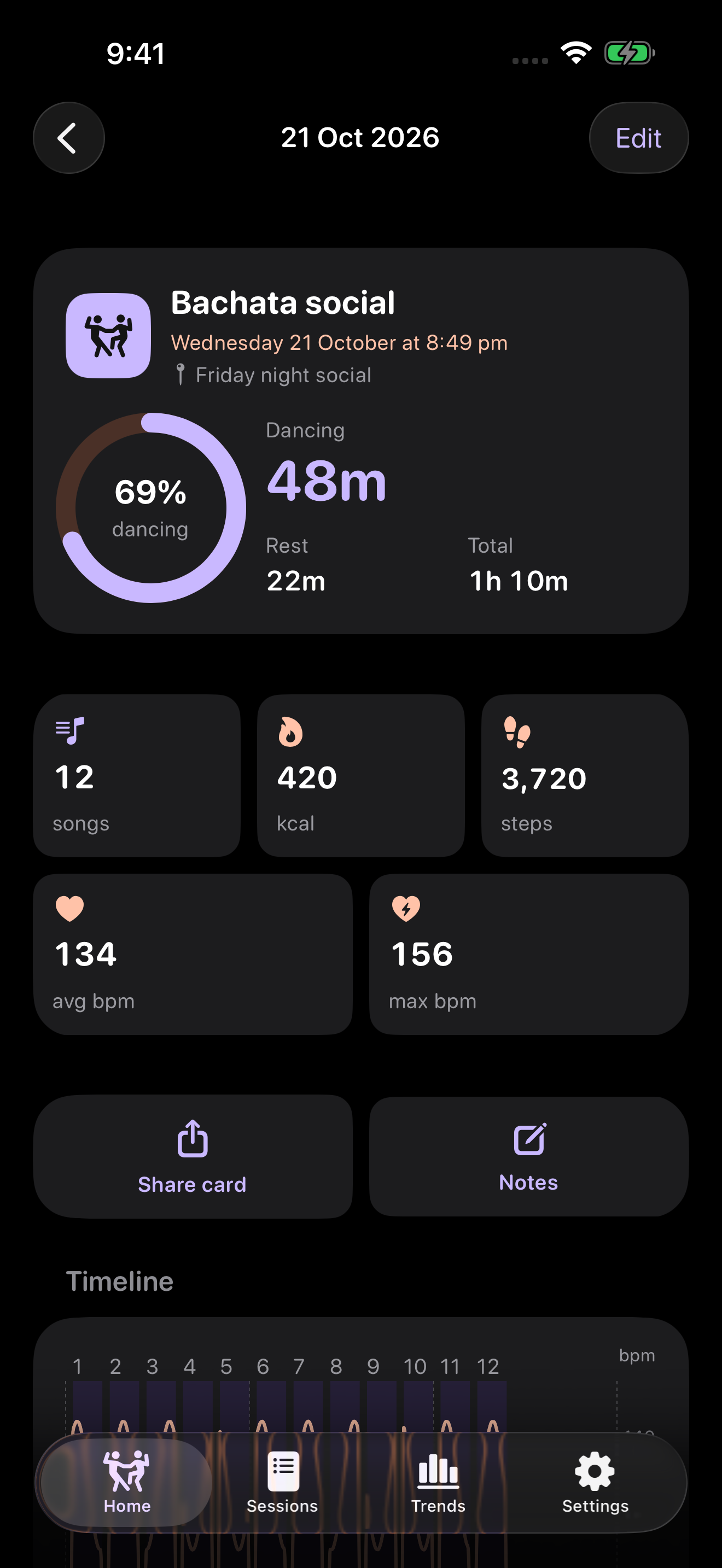
Short breaks and long stretches of dancing can affect song estimates.
Trends
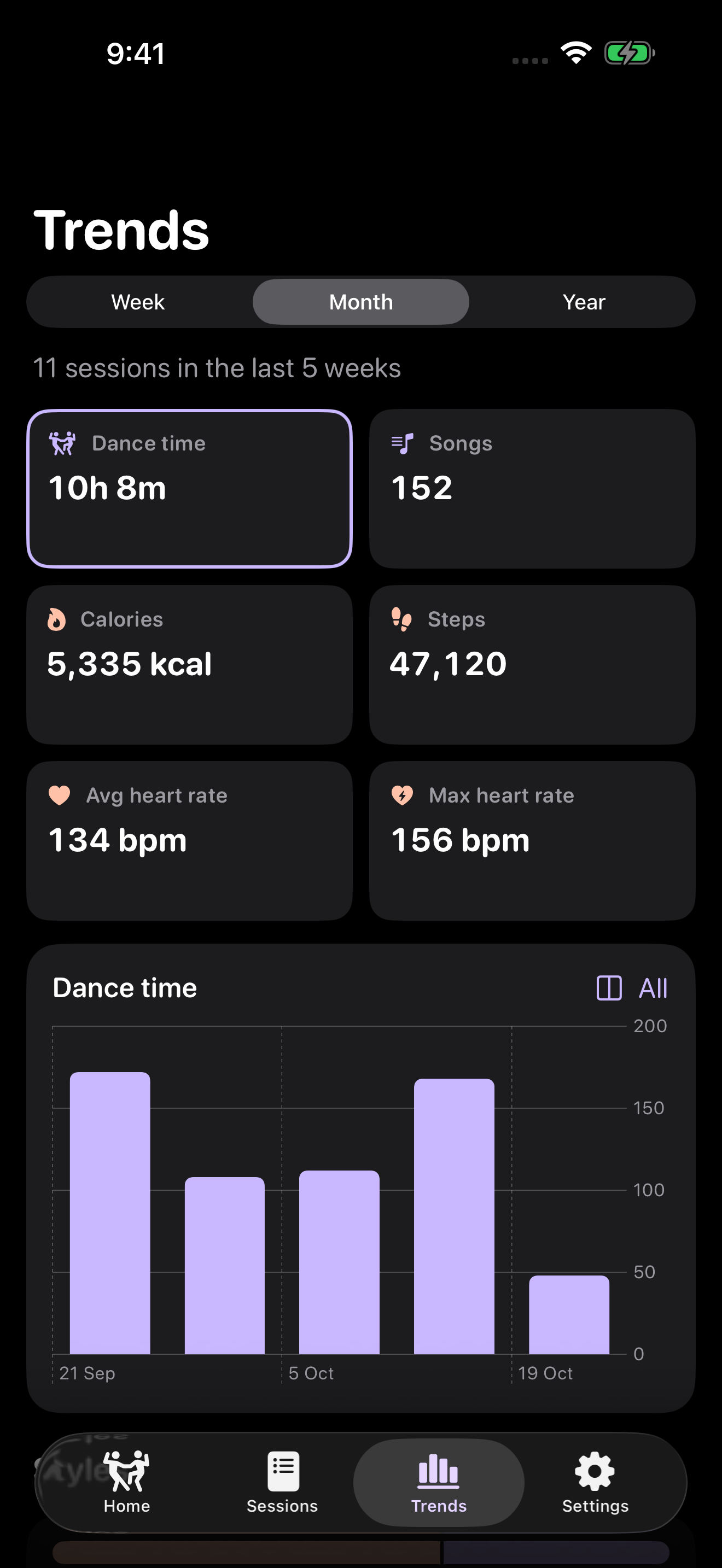
Compare dance time and songs by week, month or year. Filter by dance style or session type.
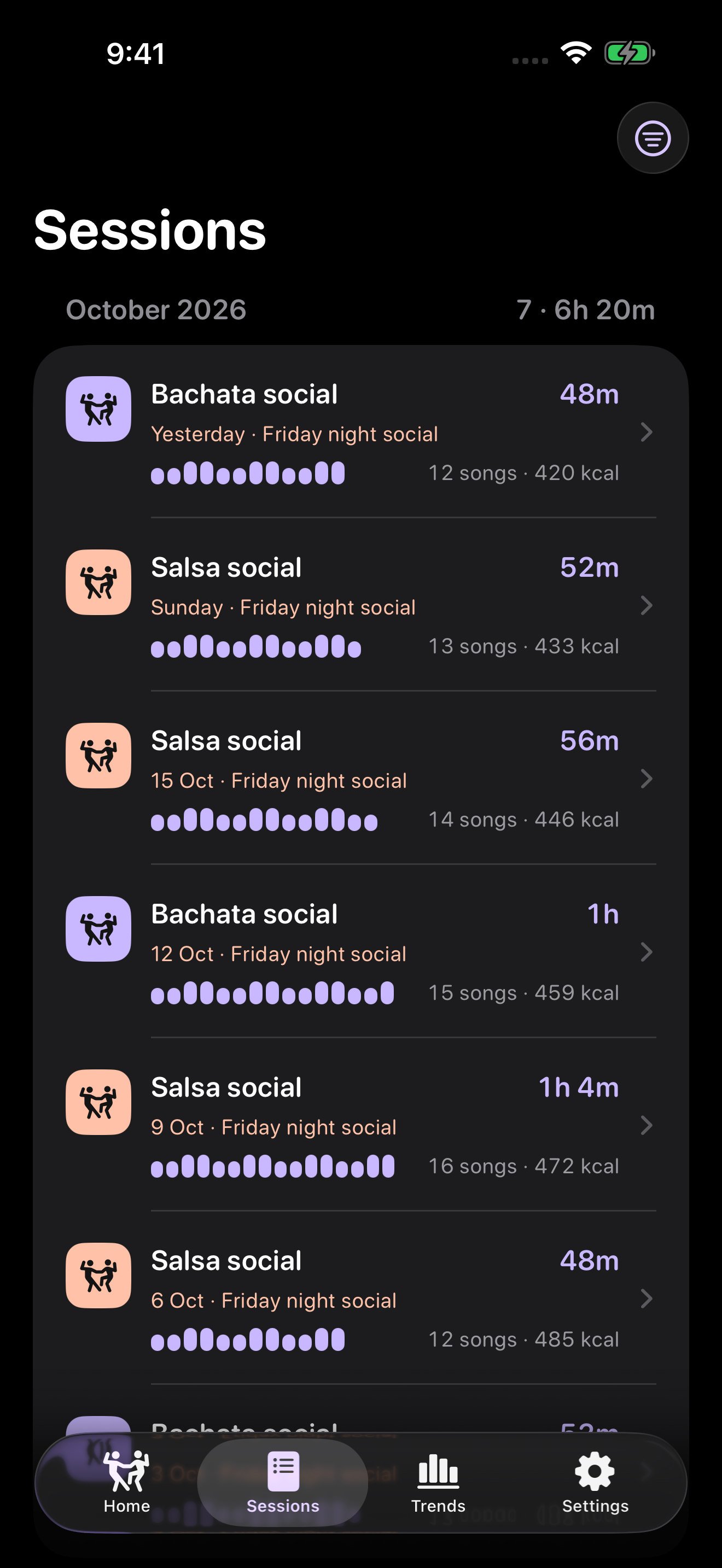
Save the style, venue and notes with each session. Workouts go to Apple Health; the report goes to your iPhone.
Your iPhone lock screen can show the session while it’s running. Siri, widgets and scheduled reminders help you start the next one.
Requires iOS 26 or later and a paired Apple Watch with watchOS 26 or later. Dance tracking, spin counts, reports and trends work without Plus. Plus is free for 14 days from your first session; reinstalling doesn’t restart the trial. To keep song recognition afterwards, subscribe monthly or yearly in iPhone Settings, or restore a subscription. Subscriptions renew automatically until you cancel them in your Apple Account settings. Plus is covered by Apple’s standard licence agreement.
On iPhone Home, use Up next → Schedule, then open the watch app once to send it across. Try “Start a dance session with Salsamatic” on your watch. In iPhone Settings, choose and reorder your watch pages.